When you receive an error message while starting the Smart IPTV application on your Smart TV, you can try the following solutions:
Error Check playlist URL or URL nr.1 error:
-If when ordering your subscription you requested that we inject the m3u link for you, try restarting the TV and relaunching the Smart IPTV application again. If the message « Server Connection timeout » with a counter appears, wait for the channels to load completely and DO NOT press OK. If the loading is very long (this will depend on your internet connection speed) or you still receive the same error message (URL nr1 error or Check playlist URL), press the « 0 » button using your remote control (Samsung or LG) and wait for the loading. If the problem persists, turn off your TV and unplug it from the power source for about 30 seconds and try again.
You can also try resetting Smart HUB or turning your TV off and on again to clear its cache if you have a Samsung TV.
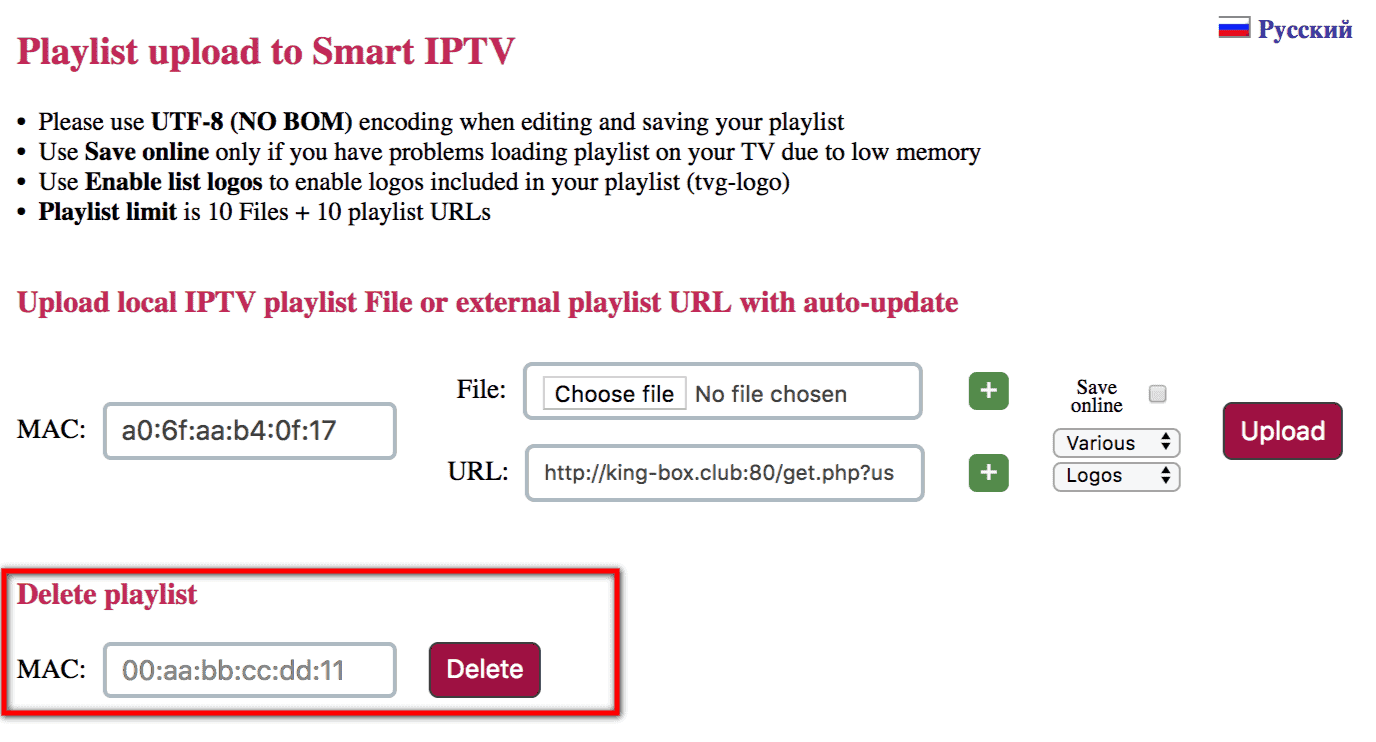
-If you requested your m3u link when placing your order, try deleting the playlist from your TV and then re-entering the m3u link, paste your MAC address and click on « Delete »:
Re-inject your m3u link as shown in the image below:
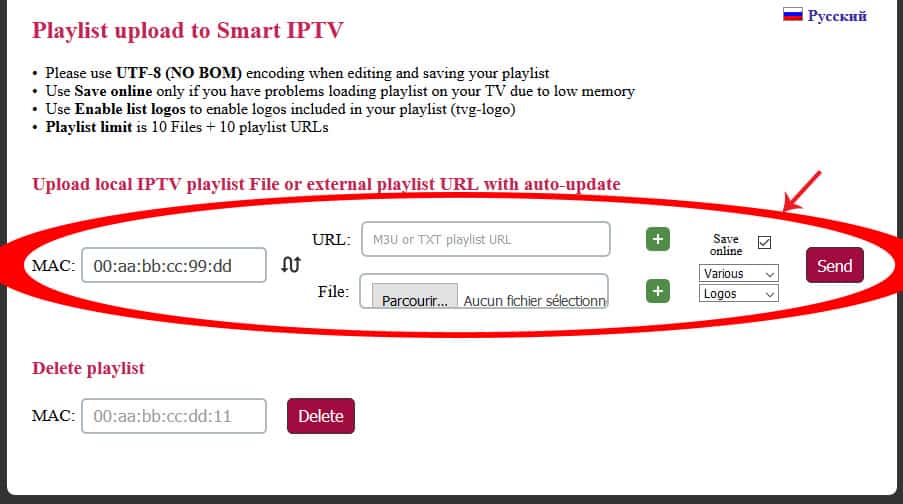
NB: Note that in most cases, it is sufficient to inject the m3u link only once; the application saves the m3u link on the server. If you receive the error message, start by checking the internet connection and restarting the TV and relaunching the application, then wait for the loading after the message « Server connection Timeout« . On Samsung TVs, in case of the URL nr.1 Error message, press the « 0 » button and wait for the download.