DNS Change Tutorial on Your Android Smartphone

To bypass the blocking of IPTV servers on your Android smartphone by your Internet Service Provider, follow these steps:
- Click on the Settings icon.
- Go to Settings and look for WLAN or WIFI for the wireless connection you will modify.
- Press and hold to bring up the Edit network option.
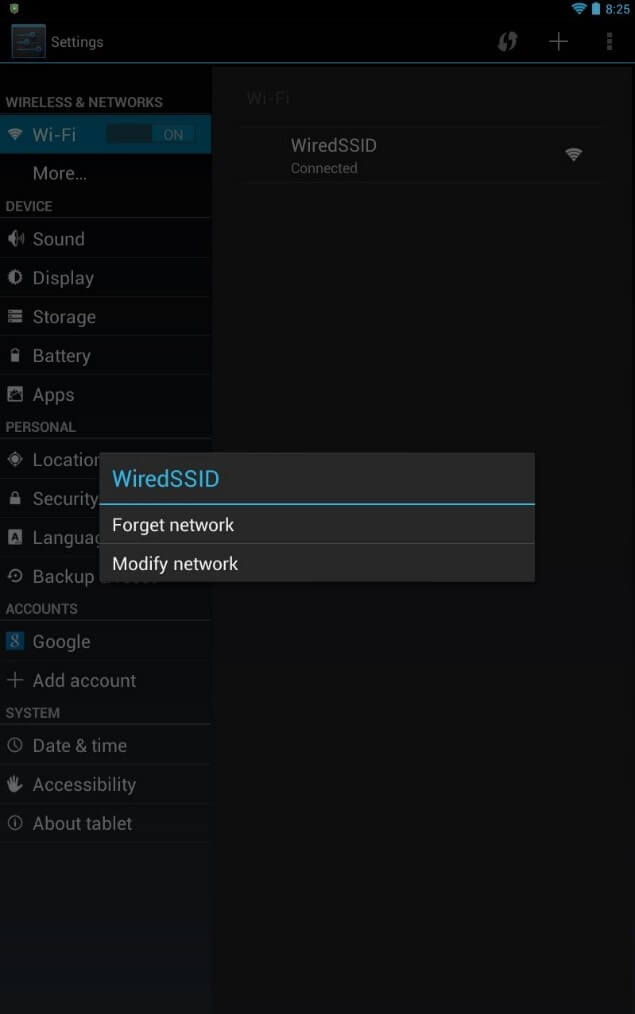
On Android, Wi-Fi connections will only show if they are enabled.
4. In the menu below, tap on Advanced options and select for IP Settings, the Static option.
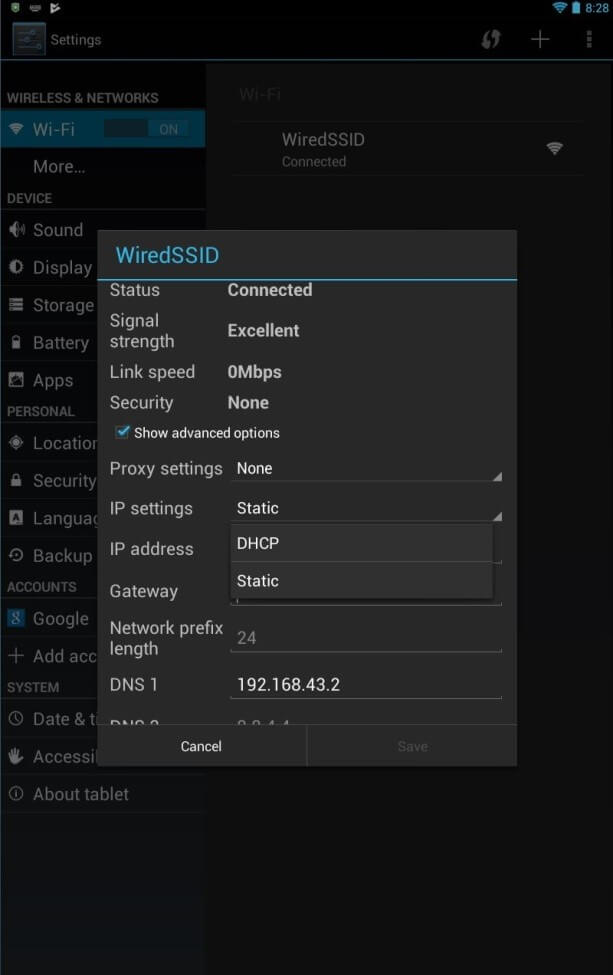
Android combines the manual configuration of IP addresses and DNS addresses in one window. But we can simply take the current IP address, automatically assigned by DHCP, as the new static address.
5. Now just fill in the fields DNS 1 with 8.8.8.8 and DNS 2 with 8.8.4.4 and confirm by tapping Save.

On Android, it is common