
DNS Change Tutorial on Your MAG
To bypass the blocking of IPTV servers on your MAG by your Internet Service Provider, follow these steps:
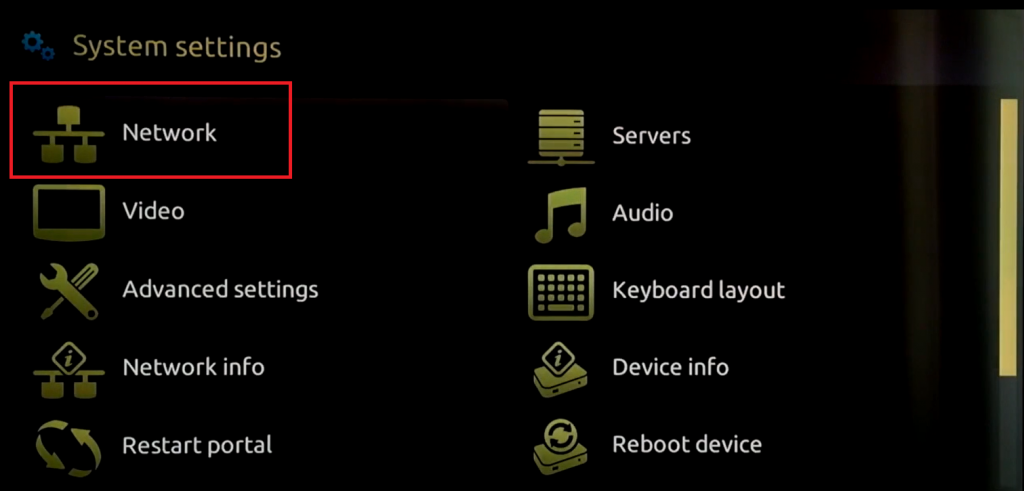
- Go to Settings, System Settings, then click on Network Tab.
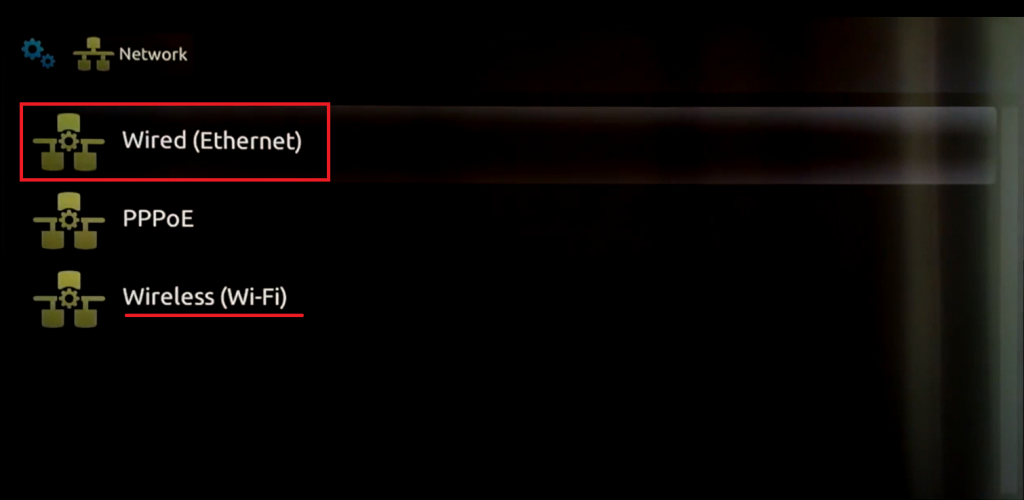
2. Click on Wired Ethernet if your device is connected via cable, or click on Wireless (WIFI) if you are connected wirelessly.
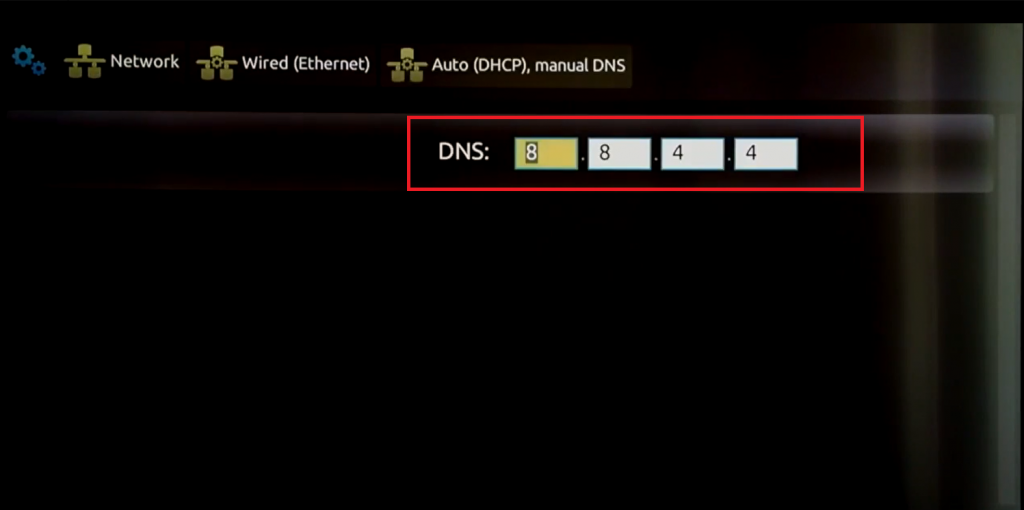
3. In the next tab, look for AUTO (DHCP), Manual DNS. Click on it. Now, enter the address DNS 8.8.4.4
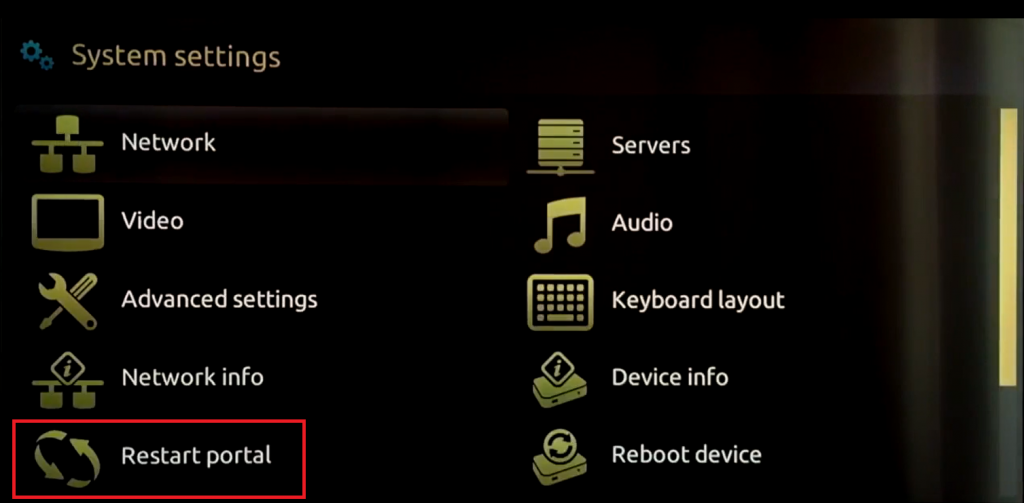
4. Once the new DNS is set, press the back button and restart the portal.
That’s it.