DNS Change Tutorial on Samsung Smart TV
To bypass the blocking of IPTV servers on your Samsung Smart TV by your internet service provider, follow these steps:
- Turn on your TV and open the “Settings” window by pressing the “Settings” button on your TV remote.
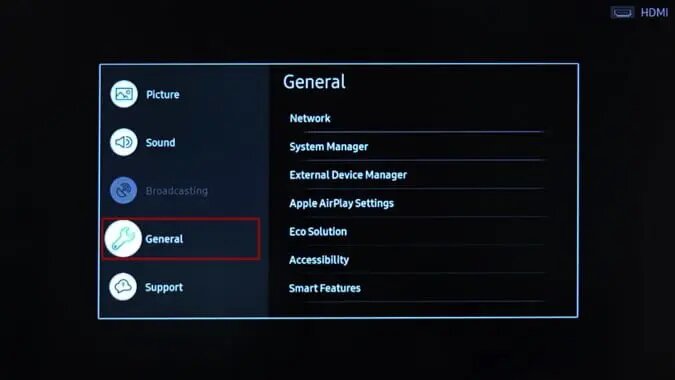
- Go to the General tab and select “Network” from the options menu.
3. You can see if your TV is connected to the Internet under Network Status.
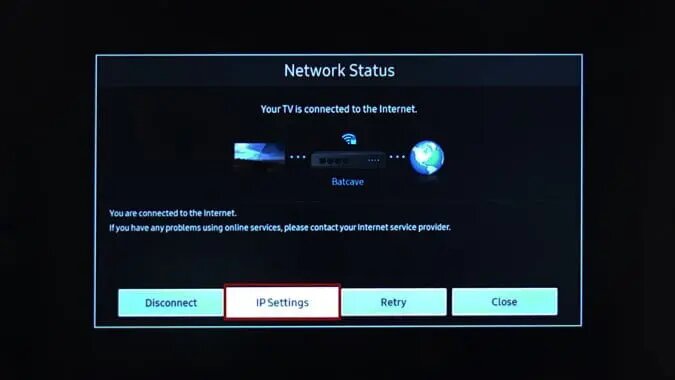
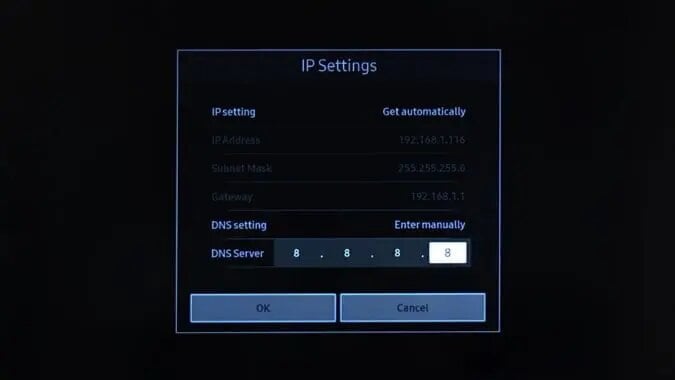
4. Select IP Settings and go to the DNS settings.
5. You need to manually change the DNS settings for the entry.
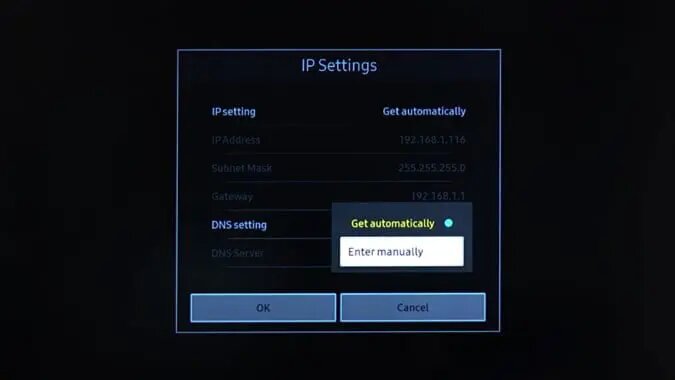
6. Under DNS settings, you will see the DNS server, enter the following DNS server 8.8.8.8 and press « OK« .
That’s it.